Comparely
App Comparison & UX Research Tool
This project was completed during my time at The Mall Group. The work is shown here for portfolio purposes only.
Tools behind the build
The core stack used to shape the product experience, interface, and implementation.



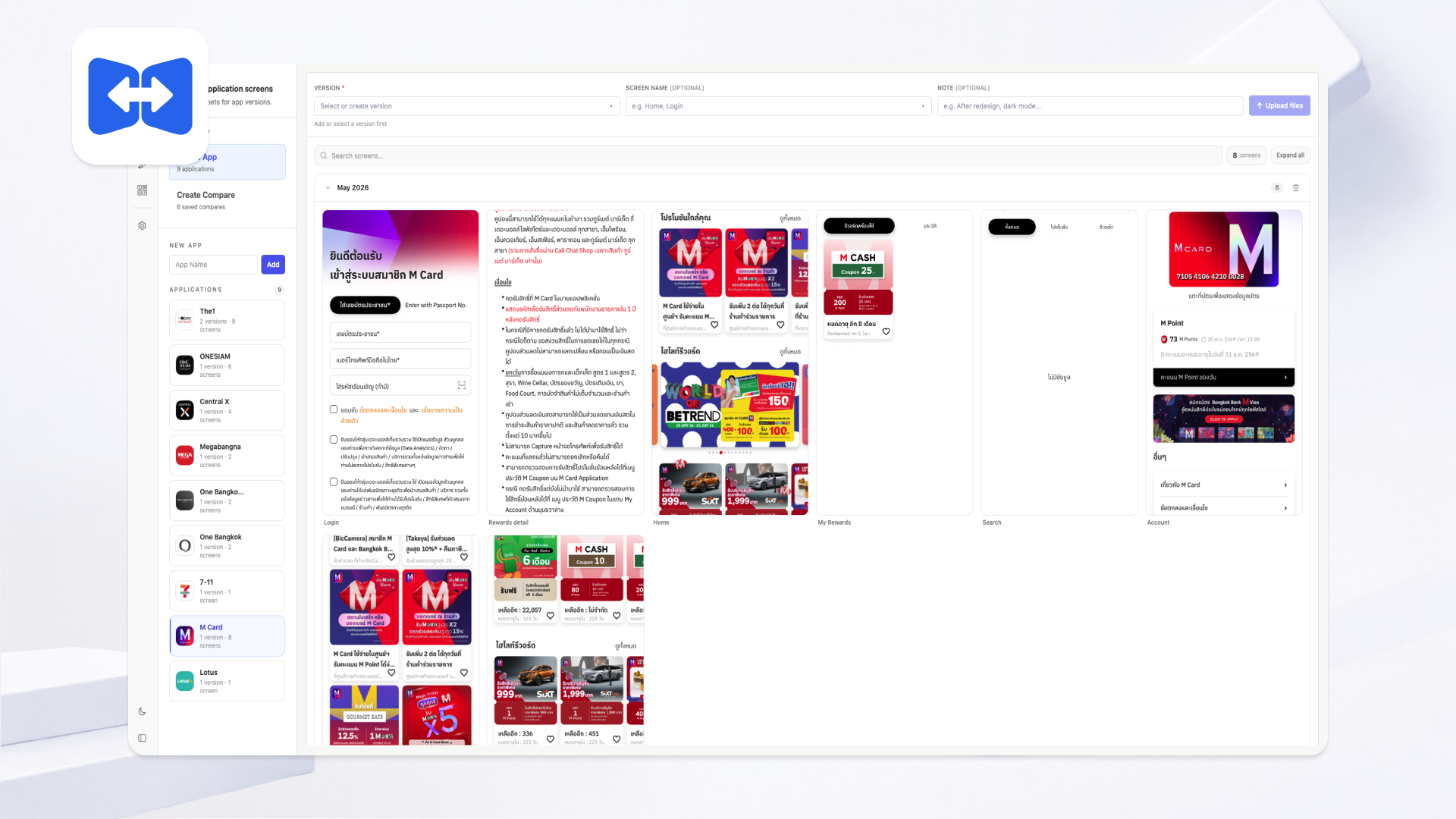
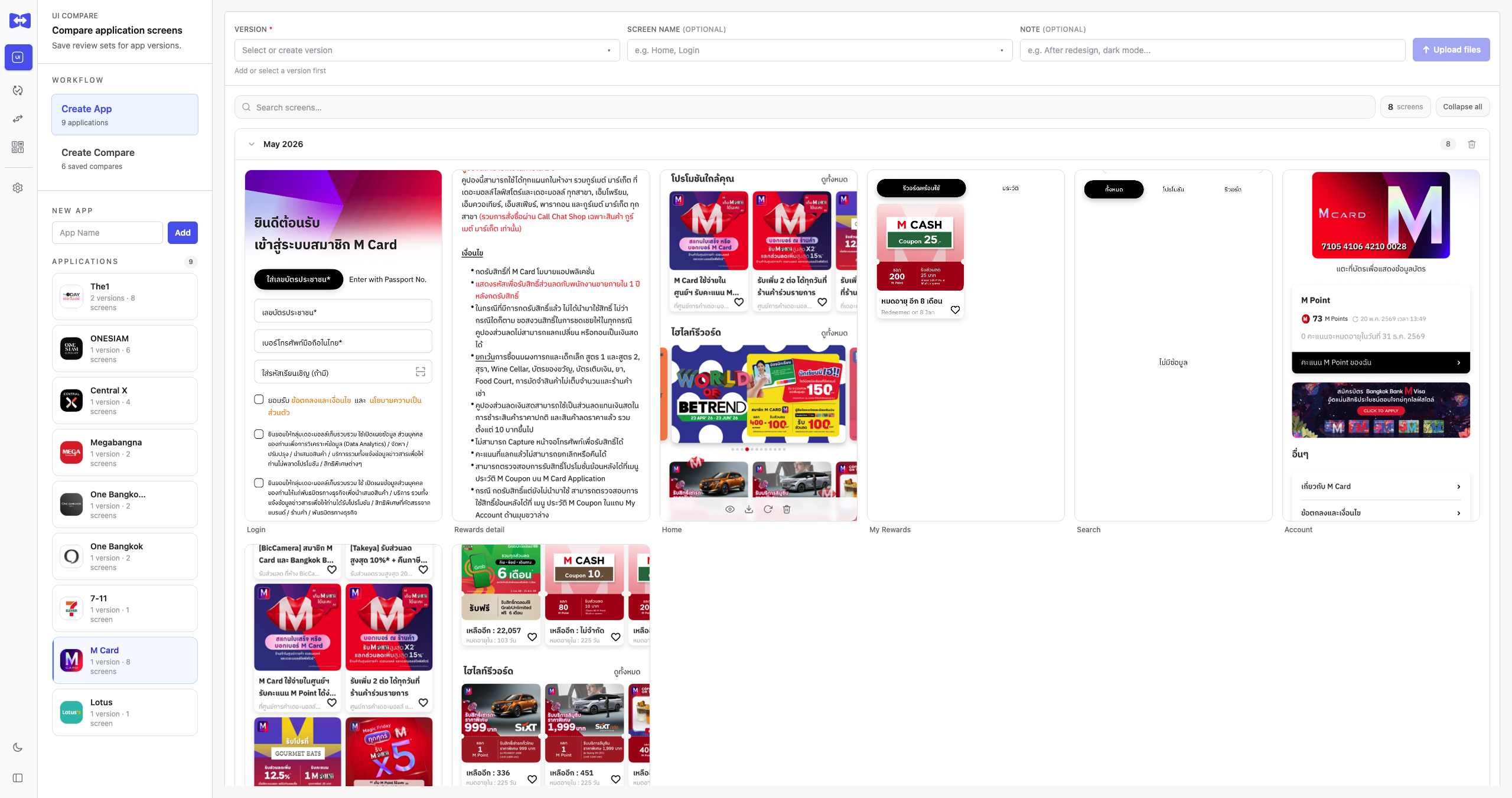
Comparely is an internal team tool built to centralize competitive UX research — comparing UI screens, tracking feature updates, and documenting insights across multiple apps in one place, without scattering information across spreadsheets or separate files.
Pain Points Before Comparely
- Scattered information — Screenshots were spread across Drive and Figma with no single place that brought everything together, making it hard to search and reference past findings.
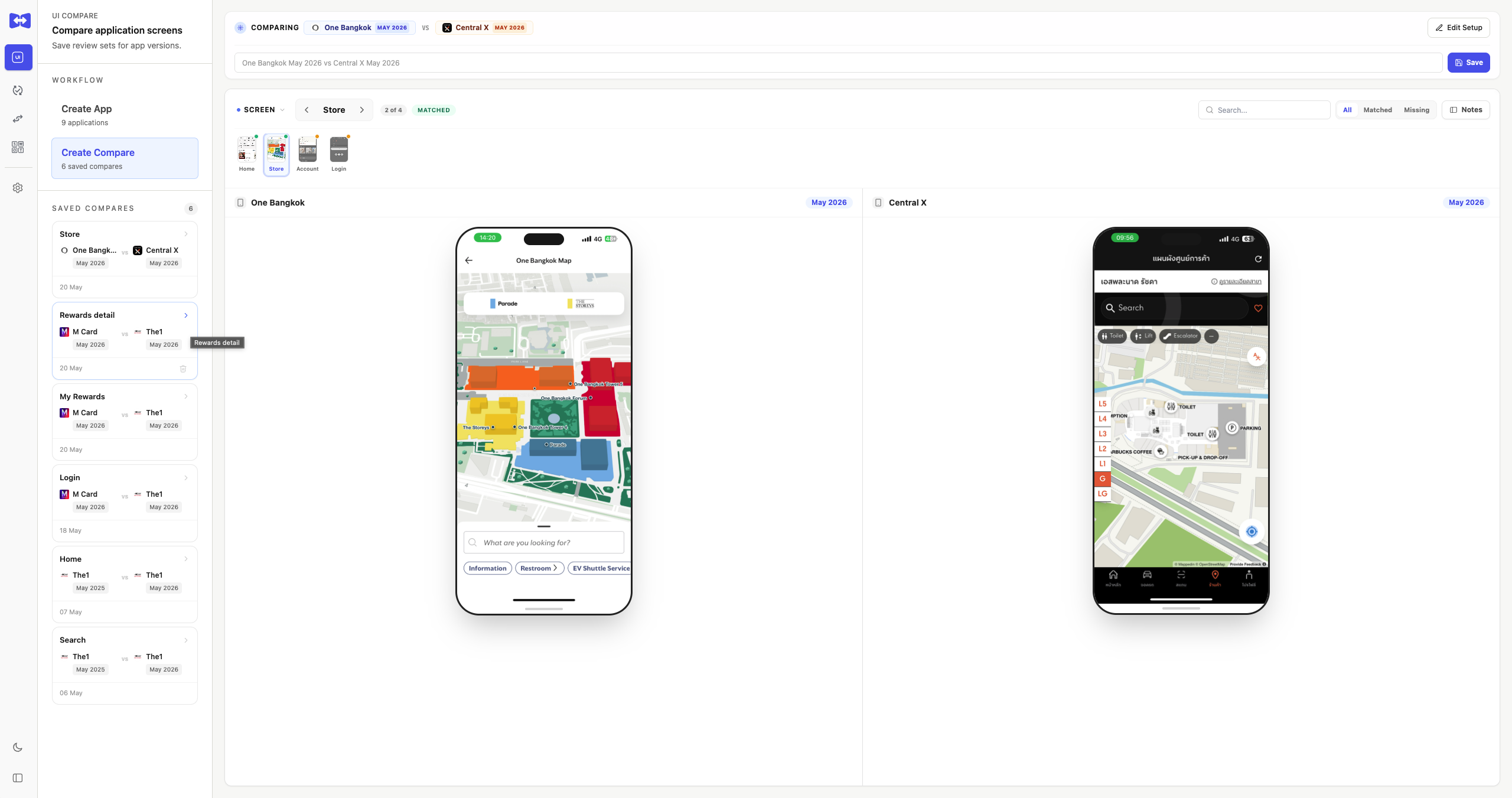
- Difficult UI comparison — Switching between multiple windows to compare screens was slow and made it easy to miss details.
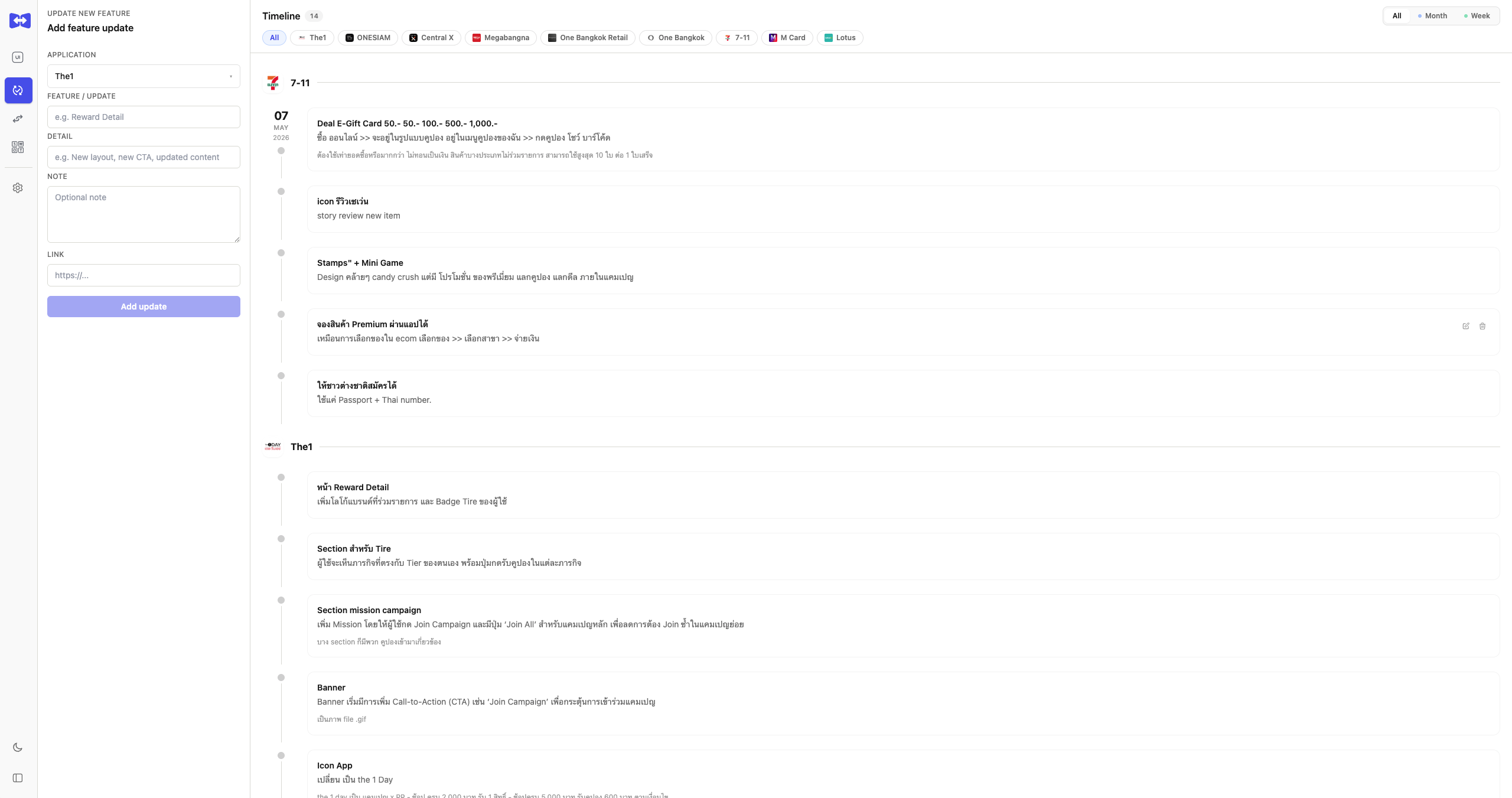
- No context for changes — It was clear when a UI had changed, but not what changed, why, or when.
- Hard to share with the team — Presenting findings to stakeholders meant reorganizing everything from scratch each time, wasting unnecessary effort.
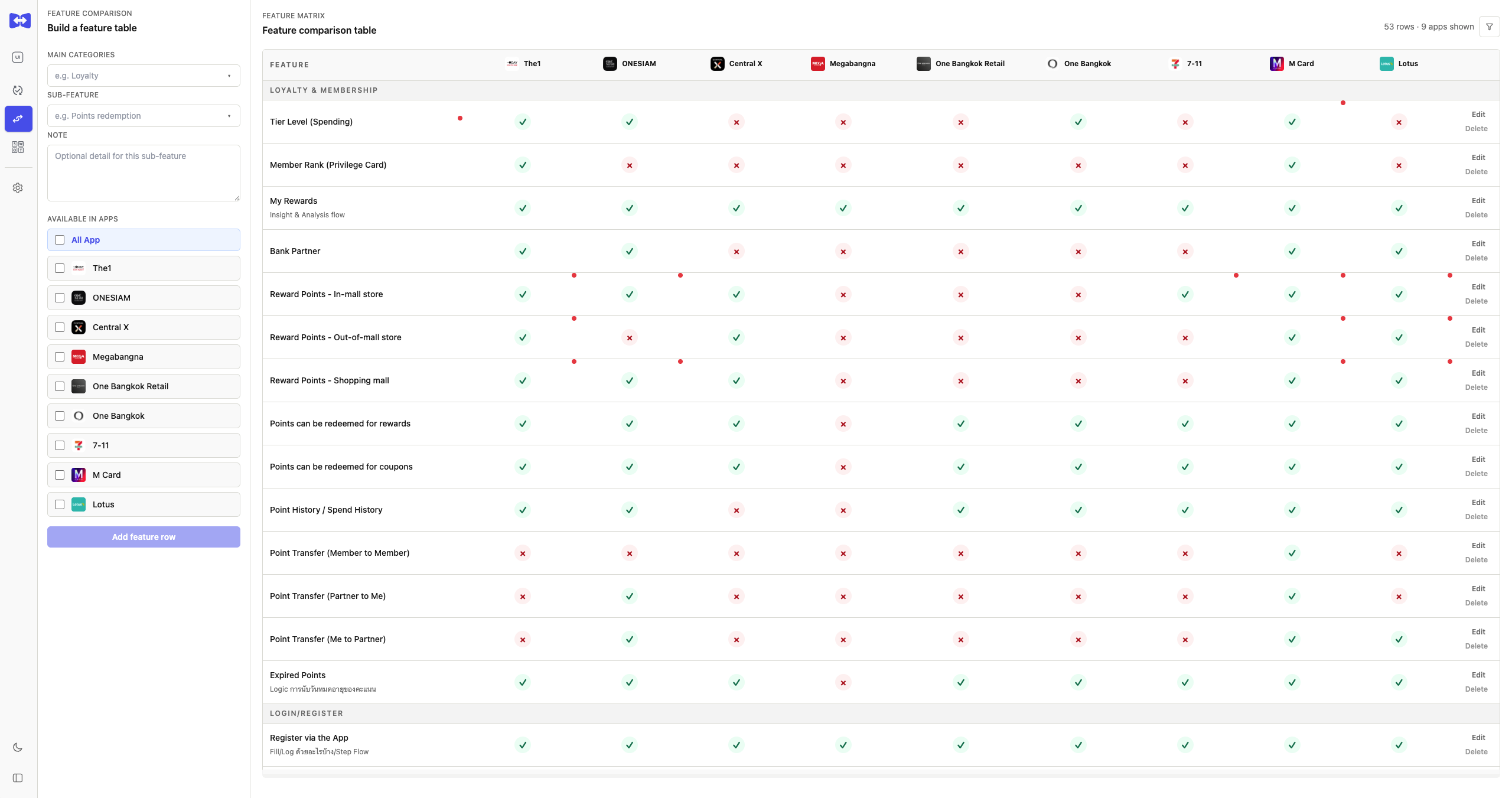
- No big-picture view — It was difficult to see what features each competing app had and where we stood in comparison.
What It Does
The tool is built around four modules. UI Compare is the core — it lets you load screenshots from different app versions side by side, or overlay them with a drag slider to catch visual differences instantly. Each screen supports a changelog note tagged by change type (UI, UX, Copy, Layout, Color) so nothing goes undocumented.
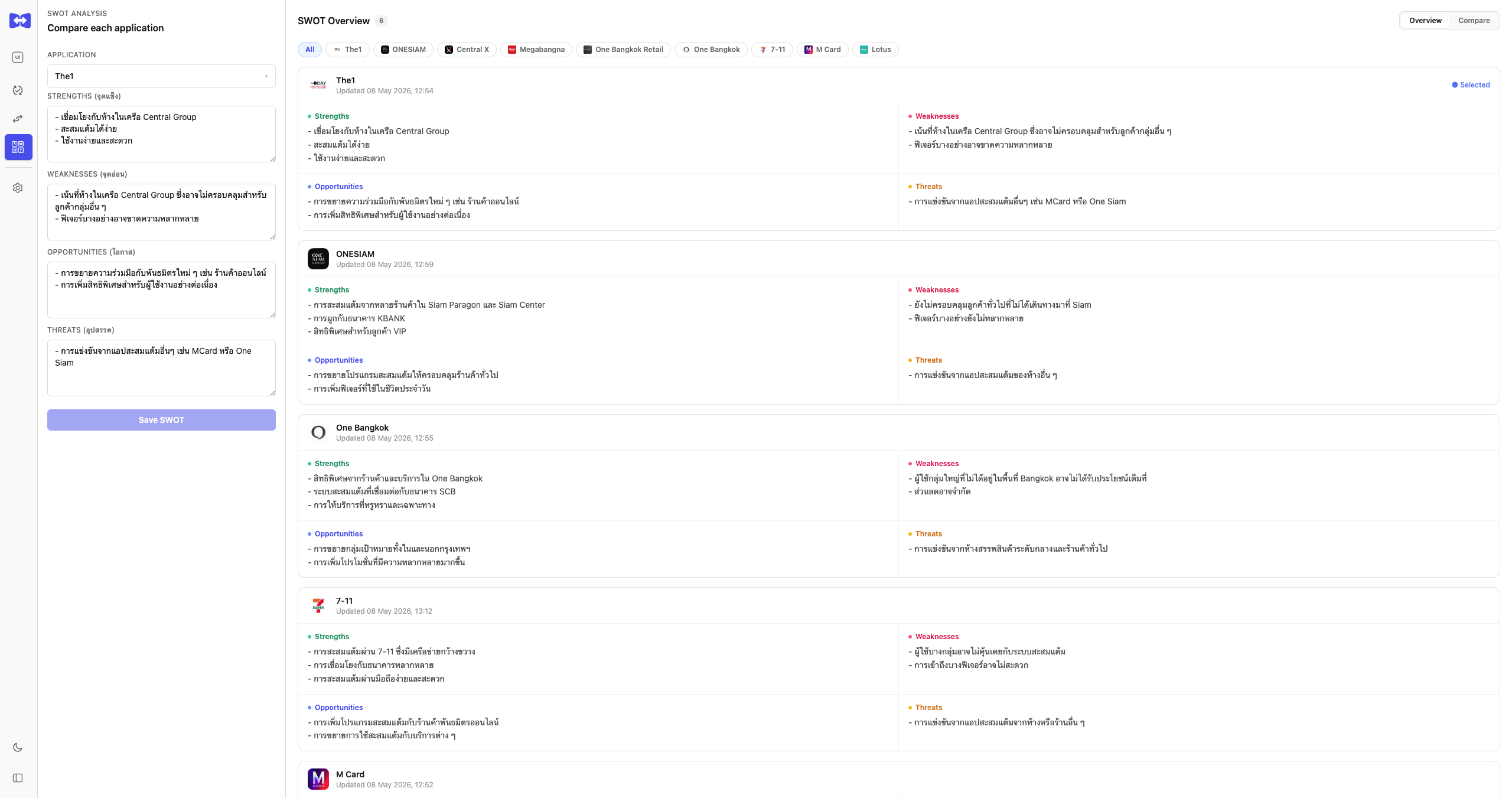
Update New Feature serves as a running log of competitor updates — each entry captures the feature detail, notes, and a reference link. Feature Comparison then surfaces all of this as a structured table grouped by category, making it immediately clear where any app leads or lags. SWOT Analysis closes the loop with a per-app strategic overview.
Interaction Walkthrough
The motion demo works best as a quick overview — giving a sense of the full experience before diving into the details.
Product Screens
A focused carousel of the key product views, showing how each module supports research, comparison, feature tracking, and strategic analysis.
Details Worth Mentioning
- Compare sessions are saveable and reloadable, so research always picks up where it left off.
- Dark/Light mode and a collapsible sidebar keep the interface comfortable during long research sessions.
- All data persists through Prisma with SQLite — no external database dependency needed.